Introduction
In today’s digital world, protecting personal and business data has become more important than ever. Every day, millions of people use the internet for banking, shopping, communication, and work. While these online activities offer convenience, they also expose users to cyber threats such as hacking, phishing, malware, identity theft, and data breaches. Cybercriminals are constantly developing new techniques to steal sensitive information, making cybersecurity a critical concern for everyone.
The good news is that you don’t need to be a technology expert to improve your online security. By following a few essential cybersecurity practices, you can significantly reduce the risk of becoming a victim of cybercrime. Whether you are an individual user, a student, a freelancer, or a business owner, these cybersecurity tips will help protect your personal information and keep your digital life secure.
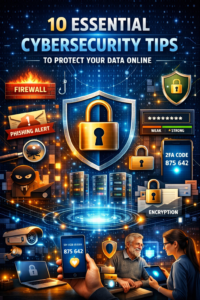
1. Use Strong and Unique Passwords
One of the most effective ways to protect your online accounts is by creating strong and unique passwords. Many people still use simple passwords such as “123456” or “password,” which can be cracked within seconds by hackers. A strong password should contain a combination of uppercase and lowercase letters, numbers, and special characters.
Avoid using personal information such as your name, birthdate, or phone number in your passwords. Additionally, never use the same password across multiple accounts. If one account is compromised, all your other accounts could become vulnerable. Consider using a password manager to generate and securely store complex passwords.
2. Enable Two-Factor Authentication (2FA)
Two-factor authentication adds an extra layer of security beyond your password. When enabled, you must provide a second verification method, such as a code sent to your phone or generated through an authentication app.
Even if cybercriminals obtain your password, they cannot access your account without the second verification factor. Most major platforms, including email services, social media accounts, and banking applications, offer two-factor authentication. Activating this feature significantly enhances your online security.
3. Keep Software and Devices Updated
Software updates are not just about adding new features; they often include important security patches that fix vulnerabilities discovered by developers. Cybercriminals frequently target outdated software because known weaknesses can be exploited easily.
Ensure that your operating system, web browser, antivirus software, and mobile applications are always updated to the latest version. Enabling automatic updates can help you stay protected without having to manually check for updates regularly.
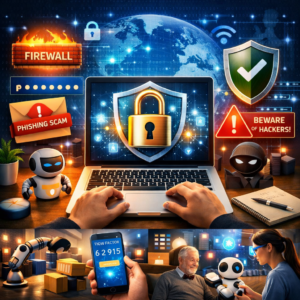
4. Be Careful with Emails and Links
Phishing attacks remain one of the most common cybersecurity threats. Cybercriminals send fake emails that appear to come from legitimate organizations, attempting to trick users into revealing passwords, financial information, or other sensitive data.
Always verify the sender’s email address before opening attachments or clicking links. If an email seems suspicious, contact the organization directly through official channels. Never provide sensitive information through email unless you are absolutely certain of the recipient’s authenticity.
5. Use Reliable Antivirus and Security Software
Antivirus software acts as a protective shield against malware, ransomware, spyware, and other cyber threats. Modern security solutions can detect suspicious activities, block malicious downloads, and provide real-time protection against emerging threats.
Choose a reputable antivirus provider and keep the software updated. Running regular system scans can help identify and remove harmful files before they cause damage to your device or compromise your personal information.
6. Secure Your Wi-Fi Network
Your home or office Wi-Fi network can become an easy target if not properly secured. Hackers may gain unauthorized access to your network, intercept data transmissions, or infect connected devices.
Protect your Wi-Fi by using strong encryption such as WPA3 or WPA2 and creating a unique network password. Change the default router username and password immediately after installation. Regularly reviewing connected devices can also help identify unauthorized access.
7. Avoid Public Wi-Fi for Sensitive Activities
Public Wi-Fi networks in cafes, airports, hotels, and shopping centers are convenient but often lack adequate security. Cybercriminals can monitor network traffic and potentially steal personal information transmitted over unsecured connections.
Avoid accessing online banking, making financial transactions, or entering sensitive login credentials while connected to public Wi-Fi. If necessary, use a Virtual Private Network (VPN) to encrypt your internet traffic and protect your data from unauthorized access.
8. Backup Your Data Regularly
Data loss can occur due to cyberattacks, hardware failures, accidental deletions, or natural disasters. Regular backups ensure that important files can be restored if something goes wrong.
Store backups in multiple locations, such as external hard drives and secure cloud storage services. Automated backup solutions can simplify the process and ensure that your most recent data is always protected. Having reliable backups is especially important in the event of a ransomware attack.
9. Limit the Information You Share Online
Social media platforms encourage users to share personal details, but oversharing can increase cybersecurity risks. Information such as your birthday, address, workplace, or travel plans can be used by cybercriminals for identity theft or social engineering attacks.
Review your privacy settings regularly and restrict access to personal information. Think carefully before posting sensitive details online. The less information available publicly, the harder it becomes for cybercriminals to target you.
10. Stay Educated About Cybersecurity Threats
Cybersecurity is constantly evolving, and staying informed is one of the best defenses against online threats. New scams, malware variants, and attack techniques emerge regularly, making awareness crucial for maintaining digital safety.
Follow trusted cybersecurity news sources, participate in security awareness training, and learn to recognize common warning signs of cyberattacks. Educating yourself and your family members about online safety practices can significantly reduce the likelihood of falling victim to cybercrime.
Conclusion
Cybersecurity is no longer optional in today’s connected world. From protecting personal information to securing financial accounts, implementing strong security practices can prevent costly and damaging cyber incidents. The threats may continue to evolve, but simple habits such as using strong passwords, enabling two-factor authentication, updating software, and staying vigilant against phishing attempts can dramatically improve your online security.
Protecting your data requires a proactive approach. By following these ten essential cybersecurity tips, you can reduce risks, strengthen your digital defenses, and enjoy a safer online experience. Remember, cybersecurity is not a one-time task—it is an ongoing commitment to protecting your information and privacy in an increasingly digital world.
Frequently Asked Questions (FAQs)
1. What is cybersecurity?
Cybersecurity refers to the practices, technologies, and measures used to protect computers, networks, and data from cyber threats and unauthorized access.
2. Why are strong passwords important?
Strong passwords make it more difficult for hackers to gain access to your accounts and sensitive information.
3. What is two-factor authentication?
Two-factor authentication is a security feature that requires a second verification step, such as a code sent to your phone, in addition to your password.
4. How often should I update my software?
You should install updates as soon as they become available, as they often contain important security fixes.
5. Is public Wi-Fi safe to use?
Public Wi-Fi can be risky, especially for sensitive activities. Using a VPN can help protect your data when connected to public networks.